PHP Data Types – Complete Beginner’s Guide | PHP.Exalogics.com
Every variable in PHP stores some type of data. That data might be text, a number, a list of values, or even a complex object. Understanding data types is one of the most important skills in PHP because every program works with data.
When you create a variable, PHP automatically determines its data type based on the value you assign to it. This feature is known as dynamic typing and makes PHP both flexible and beginner-friendly.
What is a Data Type?
A data type defines the kind of value stored inside a variable.
For example:
$name = "John";
Here, the variable contains text, so its data type is a String.
$age = 25;
This variable stores a whole number, so it is an Integer.
$price = 199.95;
This variable stores a decimal number, making it a Float.
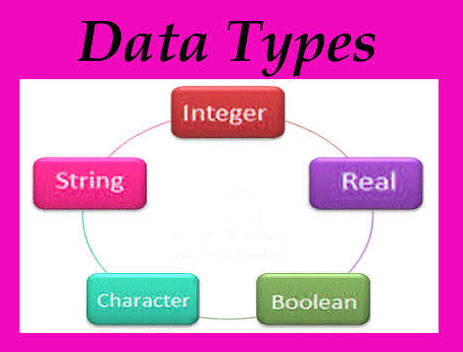
The Main PHP Data Types
| Data Type | Description |
|---|---|
| String | Stores text. |
| Integer | Stores whole numbers. |
| Float | Stores decimal numbers. |
| Boolean | Stores TRUE or FALSE. |
| Array | Stores multiple values. |
| Object | Stores objects created from classes. |
| NULL | Represents no value. |
| Resource | Represents external resources like database connections. |
Strings
A string is simply text enclosed within quotation marks.
<?php

$name = "Alice";

echo $name;

?>
Output:
Alice
Strings can contain letters, numbers, punctuation, and spaces.
$country = "Pakistan";

$city = "Karachi";

$message = "Welcome to PHP!";
Integers
An integer is a whole number without decimal places.
<?php

$age = 30;

echo $age;

?>
Output:
30
Integers are commonly used for:
- Age
- Quantity
- Number of visitors
- Product IDs
- Years
Floats
Floats (also called doubles) are numbers that contain decimal places.
<?php

$price = 19.99;

echo $price;

?>
Output:
19.99
Examples include:
- Hotel prices
- Exchange rates
- Temperatures
- Measurements
- GPS coordinates
Booleans
A Boolean variable has only two possible values:
- TRUE
- FALSE
<?php

$isLoggedIn = true;

$isAdmin = false;

?>
Booleans are frequently used in decision-making.
Example:
if($isLoggedIn)
{
    echo "Welcome!";
}
Checking the Data Type
The var_dump() function displays both the value and the data type.
<?php

$name = "John";

var_dump($name);

?>
Output:
string(4) "John"
Another example:
$age = 40;

var_dump($age);
Output:
int(40)
Developer Tip
The var_dump() function is one of the most useful debugging tools in PHP. It allows you to quickly inspect variables while developing applications.
Dynamic Typing
Unlike some programming languages, PHP automatically determines the type of a variable.
$value = "Hello";

$value = 500;

$value = true;
The same variable changes its type automatically based on the assigned value.
This flexibility makes PHP easy to learn, but it also means developers should pay attention to the type of data they are working with, especially when performing calculations or comparing values.
Real-World Example
Imagine you’re building a hotel booking system. Different pieces of information require different data types.
<?php

$hotelName = "Mountain View Hotel";

$pricePerNight = 120.50;

$totalRooms = 75;

$isAvailable = true;

?>
Each variable stores a different kind of data, making the application easier to organize and process.
Understanding the correct data type for each variable helps you write more reliable, efficient, and maintainable PHP applications.
Arrays
An array is a special data type that allows you to store multiple values inside a single variable. Arrays are extremely useful when working with lists such as products, customers, cities, or tour packages.
<?php

$cities = array("Karachi", "Lahore", "Islamabad");

print_r($cities);

?>
You can also use the shorter array syntax introduced in modern PHP versions.
<?php

$cities = ["Karachi", "Lahore", "Islamabad"];

echo $cities[0];

?>
Output:
Karachi
Objects
An object is a variable that contains both data and functions. Objects are created from classes and are widely used in object-oriented programming (OOP).
<?php

class Hotel
{
    public $name = "Mountain View Hotel";
}

$hotel = new Hotel();

echo $hotel->name;

?>
Output:
Mountain View Hotel
You will learn much more about classes and objects later in this course.
NULL
The NULL data type represents a variable that has no value.
<?php

$name = NULL;

var_dump($name);

?>
Output:
NULL
Developers often use NULL to indicate that information has not yet been entered or loaded.
Resources
A Resource is a special PHP data type that represents external resources such as database connections, file handles, or network sockets.
<?php

$file = fopen("example.txt","r");

var_dump($file);

?>
Resources are automatically managed by PHP and are commonly encountered when working with files, databases, and web services.
Using gettype()
The gettype() function returns the type of a variable.
<?php

$price = 199.95;

echo gettype($price);

?>
Output:
double
Useful Type Checking Functions
| Function | Description |
|---|---|
| is_string() | Checks whether a variable is a string. |
| is_int() | Checks whether a variable is an integer. |
| is_float() | Checks whether a variable is a float. |
| is_bool() | Checks whether a variable is a Boolean. |
| is_array() | Checks whether a variable is an array. |
| is_object() | Checks whether a variable is an object. |
| is_null() | Checks whether a variable is NULL. |
Example:
<?php

$name = "John";

if(is_string($name))
{
    echo "This is a string.";
}

?>
Type Casting
Sometimes you may want to convert one data type into another. This process is known as type casting.
<?php

$number = "500";

$number = (int)$number;

var_dump($number);

?>
Output:
int(500)
Other common casts include:
(string)
(int)
(float)
(bool)
(array)
(object)
Comparing Data Types
PHP provides two comparison operators that are commonly confused.
| Operator | Meaning |
|---|---|
| == | Equal value |
| === | Equal value and equal type |
Example:
<?php

$a = 100;
$b = "100";

var_dump($a == $b);

var_dump($a === $b);

?>
Output:
bool(true)

bool(false)
The strict comparison operator (===) is generally recommended because it compares both value and data type.
Real World Example – Online Booking
<?php

$tourName = "Hunza Valley Tour";

$price = 950.75;

$availableSeats = 18;

$isConfirmed = false;

$cities = ["Gilgit", "Hunza", "Passu"];

?>
This example demonstrates several different data types working together in a practical application.
Common Beginner Mistakes
| Mistake | Correct Approach |
|---|---|
| Treating numbers as text | Use integers or floats for calculations. |
| Using == instead of === | Use strict comparison when appropriate. |
| Ignoring NULL values | Check variables before using them. |
| Using strings for TRUE/FALSE | Use Boolean values. |
Best Practices
- Use the correct data type for each variable.
- Use descriptive variable names.
- Validate user input before processing it.
- Prefer strict comparisons (===) where appropriate.
- Use type checking functions when debugging.
- Keep arrays organized and well documented.
Practice Exercises
- Create one variable for each PHP data type.
- Use var_dump() to display each type.
- Create an array of five countries.
- Convert a string into an integer using type casting.
- Use is_array() to verify your array.
- Compare two variables using both == and ===.
Summary
Data types determine how PHP stores and processes information. Understanding strings, integers, floats, Booleans, arrays, objects, NULL values, and resources is essential for writing reliable applications. PHP’s dynamic typing makes development easier, but knowing when and how to check or convert data types will help you avoid many common programming errors.
Frequently Asked Questions
How many main data types does PHP have?
PHP provides eight primary data types: String, Integer, Float, Boolean, Array, Object, NULL, and Resource.
What does var_dump() do?
It displays both the value and the data type of a variable, making it one of the most useful debugging tools in PHP.
What is the difference between == and ===?
== compares only the values, while === compares both the value and the data type.
Can a variable change its data type?
Yes. PHP uses dynamic typing, so a variable can store different types of values during program execution.
Why should I use type casting?
Type casting converts a variable into a specific data type, making calculations and comparisons more reliable.
Quick Challenge
Create a small hotel booking page using the following variables:
- Hotel Name (String)
- Price Per Night (Float)
- Available Rooms (Integer)
- Breakfast Included (Boolean)
- Facilities (Array)
Display each value and use var_dump() to show its data type.
Next Tutorial
Now that you understand PHP data types, it’s time to learn about Constants—values that remain unchanged throughout your program and are commonly used for configuration settings.
Next: PHP Constants